
Spiidi registration is presented as a Pay’n Play bank-ID process rather than a long manual form. Finnish players begin from Spiidi com , choose a supported bank, approve secure identification and return to an EUR casino account. The payment strip shows OP, Nordea, S-Pankki, Danske Bank, Säästöpankki, Aktia, Ålandsbanken, OmaSp, POP Pankki and Revolut, while the legal notice sets an 18+ age requirement and names Fruity Entertainment B.V. as the operator.
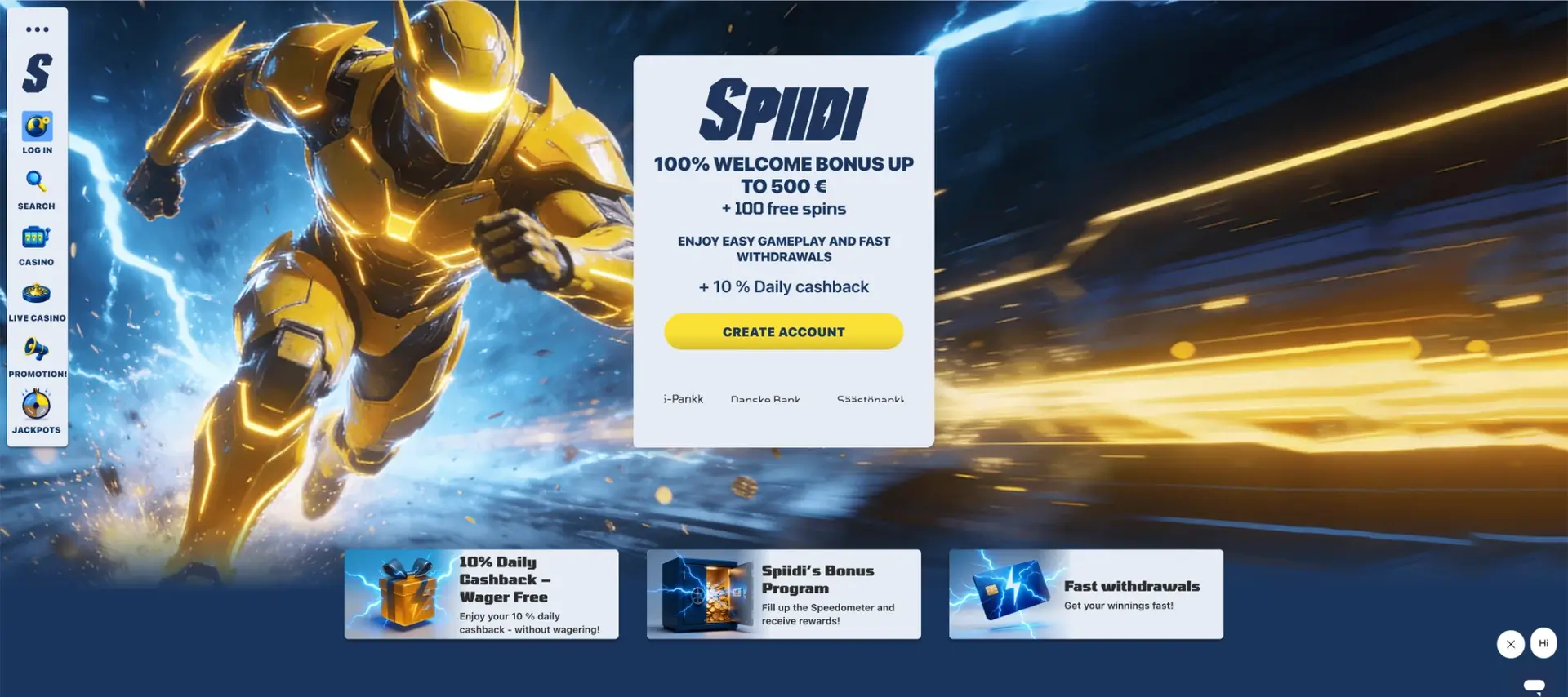
The official registration flow can vary by bank and account status. Our website explains the public steps and directs players to read every consent field and account-data notice shown during the live bank redirect.
Spiidi registration essentials
The table answers the main sign-up questions before the player starts bank identification.
| Registration item | Details |
|---|---|
| Registration model | Pay’n Play / Finnish bank identification |
| Traditional long form | Not presented on the public casino pages |
| Account currency | EUR |
| Minimum age | 18 |
| Welcome offer | 100% up to €500 + 100 free spins |
| Welcome-offer deposit threshold | €20 |
| Operator | Fruity Entertainment B.V. |
| Licence shown | Curaçao GCB, OGL/2024/1487/0729 |
| Finnish support | Daily, 09:00-01:00 |
How to register at Spiidi
Registration begins through account access and a bank redirect. Use only the official site and read each consent or account notice before confirming.
- Open the official Spiidi com website.
- Select LOG IN or the account-access control.
- Choose the Finnish bank or service you intend to use.
- Check that the redirect belongs to the selected bank.
- Complete the bank’s identity-approval process.
- Return to Spiidi and read the account information shown.
- Confirm that the account currency is EUR.
- Read the bonus rules before making the first deposit.
Supported banks for Spiidi sign up
The visible payment strip provides the clearest list of bank-based options. Live availability can still vary during maintenance or by transaction type.
| Bank or service | Shown as an option |
|---|---|
| OP | Yes |
| Nordea | Yes |
| S-Pankki | Yes |
| Danske Bank | Yes |
| Säästöpankki | Yes |
| Aktia | Yes |
| Ålandsbanken | Yes |
| OmaSp | Yes |
| POP Pankki | Yes |
| Revolut | Yes |
What information is used during registration
The casino’s legal text confirms that online-banking credentials are used to enter the game account. The bank and casino should show the relevant personal-data information before approval.
- Read the bank-identification consent before continuing.
- Check the casino’s privacy and account terms.
- Confirm that your legal identity and bank account belong to the same person.
- Do not create access on behalf of another user.
- Do not approve a bank request started from an unknown link.
Age and location requirements
The site states that people under 18 are not permitted to participate. Bank identification can help confirm identity, but players remain responsible for checking that access is permitted from their location and that all information presented during account creation is accurate.
The casino’s legal notice is written for Finnish users and refers to local support and Peluuri.fi. Players should check the current terms for the complete country-restriction list.
Claiming the welcome offer after registration
The main new-player promotion is 100% up to €500 plus 100 free spins for a first deposit of at least €20. The free spins are shown for Zeus vs Hades - Gods of War 250. Players should read the full Rules & Terms on the official casino website for wagering, expiry and maximum-bet conditions.
- Complete bank identification and open the account.
- Enter the promotions or cashier area.
- Select the welcome offer when a choice is shown.
- Deposit at least €20 in EUR.
- Check that the matched amount and free spins appear.
- Follow the current game, stake and expiry rules.
Verification after Pay’n Play registration
Bank identification can verify core identity details at account opening. Additional checks may still be requested for withdrawals , unusual activity or regulatory purposes. Any document list or completion estimate should be confirmed inside the official account.
- Respond only through the official account or verified support channel.
- Check why the information is requested before uploading it.
- Make sure documents are current and readable.
- Do not edit transaction or identity documents.
- Keep a record of the request and submission date.
Mobile Spiidi registration
No official native app download is visible, so mobile sign-up should begin from the official website. Keep the browser tab open while switching to the bank application and return through the bank’s completion link.
The mobile registration layout can vary by bank, browser and device. A player should confirm that all consent text and payment amounts remain readable before approving the bank request.
Common registration problems
Most difficulties occur when the bank list does not load, the identification redirect expires or the return session fails.
The preferred bank is missing
A logo may be temporarily unavailable because of maintenance or account restrictions. Reload the official page once, try again later and ask support whether the method is currently active.
Identification succeeds but the account does not open
Keep the original Spiidi tab open, allow redirects and use the bank’s completion control. Start a new attempt when the earlier session has expired.
The account opens in the wrong currency
Do not deposit. Log out, repeat the process with the intended Finnish identity and contact support if the account still does not show EUR.
The welcome offer is not visible
Check whether the offer must be selected before the first deposit, whether the account is eligible and whether a previous deposit has already been made. The current rules control eligibility.
Responsible account creation
The legal notice says gambling can be addictive, advises players not to use money they cannot afford to lose and points to Peluuri.fi for help. Before depositing, set a fixed entertainment budget and check which account limits are available after registration.
Frequently asked questions
These answers cover the main registration information published on the official Spiidi website.
Does Spiidi require a long registration form?
No long standalone form is visible. The standard route appears to use Finnish bank identification.
Which banks can be used for Spiidi registration?
The site shows OP, Nordea, S-Pankki, Danske Bank, Säästöpankki, Aktia, Ålandsbanken, OmaSp, POP Pankki and Revolut.
What currency is used after sign up?
The Finland-facing account is positioned in euros.
How old do I need to be?
The legal notice sets a minimum age of 18.
Can I register from a phone?
The practical route is the official mobile website because Spiidi does not currently publish a native application.
Do I receive the Spiidi bonus automatically?
The page tells players to claim the first-deposit offer, so check for a bonus selection before paying.
Can Spiidi ask for more verification after bank ID?
Additional checks may be required in some cases. Players should follow only requests shown inside the official account or confirmed by casino support.