
The official Spiidi website does not currently publish a native app download. Finnish players searching for a Spiidi app should open Spiidi com in Safari, Chrome or another current mobile browser and use the bank-ID login route there. This avoids installing an unverified file while still providing a direct path to the casino lobby , live tables, promotions, jackpot page and EUR cashier when those sections are supported by the device.
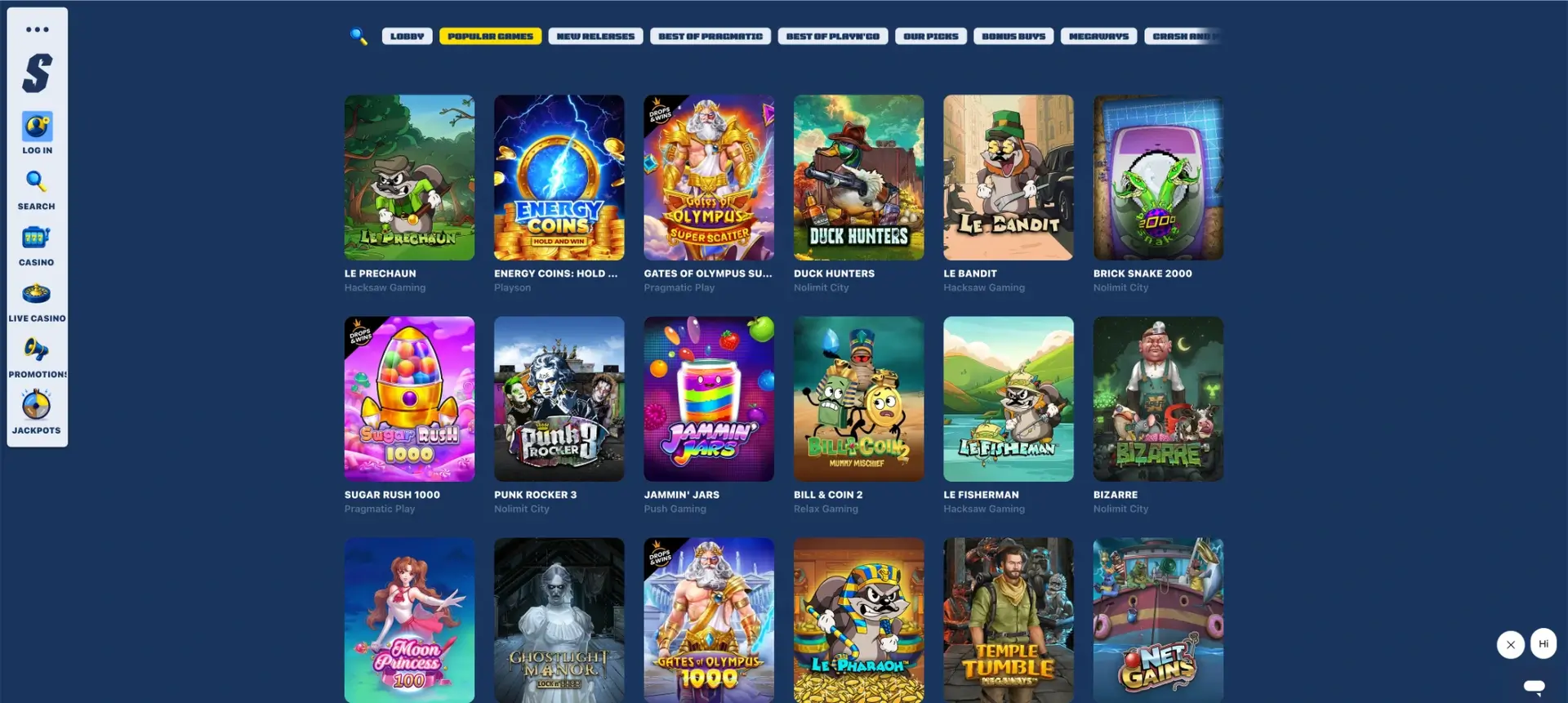
The casino does not publish standardised phone load times, full-screen behaviour or native push-notification specifications. Our guide therefore separates general browser instructions from Spiidi-specific features published on the casino website.
Spiidi mobile access at a glance
The table gives a practical answer to the main app questions without treating the absence of a download link as proof that no future native product can ever be released.
| Mobile feature | Status |
|---|---|
| Official iOS download shown | No App Store link published on the casino website |
| Official Android download shown | No Google Play or APK link published on the casino website |
| Recommended access | Official Spiidi com website in a mobile browser |
| Login model | Finnish bank identification / Pay’n Play |
| Account currency | EUR |
| Home-screen shortcut | Available through standard iOS and Android browser controls |
| Automatic updates | Website content updates without an app-store installation |
| Mobile performance | Depends on the device, browser, connection and game provider |
Is there a Spiidi app for Android or iOS?
The official casino website does not publish a native application, store badge or APK download. The browser version is therefore the confirmed route. Players should not install software that uses the Spiidi name unless the download is linked directly from the official casino site and can be verified in the relevant app store.
A future app release remains possible, but it should be confirmed from the live Spiidi com page rather than from third-party download sites.
How to use Spiidi on a mobile browser
The exact visual placement can change on smaller screens, but the confirmed desktop navigation includes login, search, casino, live casino, promotions and jackpots. The bank-ID flow should be started only from the official domain.
- Open Safari, Chrome or another current browser on the phone.
- Enter the official Spiidi com address directly.
- Check the secure connection and site identity.
- Select the account-access or login control.
- Choose the correct Finnish bank and complete identification.
- Return to the casino tab and confirm that the EUR account is open.
- Use the lobby search or category filters to find a game.
Adding Spiidi to an iPhone home screen
The following are standard Safari steps for creating a website shortcut. They do not install a separate native casino application.
- Open the official Spiidi com page in Safari.
- Tap the Share button.
- Scroll to Add to Home Screen.
- Check the shortcut name and confirm.
- Use the new icon to reopen the website.
Adding Spiidi to an Android home screen
The following are standard Chrome steps. Menu wording can vary by device manufacturer and browser version.
- Open the official Spiidi com page in Chrome.
- Tap the browser menu.
- Select Add to Home screen or Install app when offered for the website.
- Confirm the shortcut name.
- Open Spiidi from the new home-screen icon.
Features visible on the Spiidi website
The official Spiidi website lists the main sections a browser user can expect to find. Availability on a specific phone still depends on responsive layout, browser support and the game provider.
- Casino lobby: popular games, new releases, provider groups, bonus buys and Megaways.
- Search: a dedicated route for titles and providers.
- Live casino: blackjack, roulette, game shows and provider lobbies.
- Promotions: welcome package, daily cashback, Speedometer, loyalty and tournament pages.
- Jackpot: opt-in access to the displayed progressive tiers.
- Payments: Finnish bank brands and Revolut shown on the payment strip.
- Support: an on-page chat launcher and stated Finnish support hours.
Bank login on mobile
Pay’n Play access can move the user between the browser and a banking application. Keep the original browser tab open and return through the bank’s completion control so the session can be passed back to Spiidi.
- Do not approve a bank-identification request you did not initiate.
- Check the bank redirect before entering credentials.
- Avoid closing the Spiidi tab during authentication.
- Allow necessary redirects for the official site.
- Confirm the EUR account before making a transaction.
Mobile deposits and withdrawals
The payment row shows OP, Nordea, S-Pankki, Danske Bank, Säästöpankki, Aktia, Ålandsbanken, OmaSp, POP Pankki and Revolut. Mobile-specific limits, fees, processing times and withdrawal eligibility should be confirmed in the live cashier.
Open the live cashier after login and check the method status, minimum, maximum and any verification notice before approving a payment.
Mobile game performance
Spiidi does not publish a universal loading time, battery-use figure, data-consumption rate or stream-stability guarantee. Performance can vary by phone, browser, connection and the game provider’s own software.
- Use a current browser version.
- Close unused tabs before opening a live stream.
- Use a stable private connection for bank identification.
- Rotate the device only after the game has loaded.
- Check that all betting controls remain visible before placing a stake.
Security when using Spiidi on a phone
A browser shortcut is only a link to the site, so security still depends on the domain, device and bank approval process. The legal notice identifies Fruity Entertainment B.V. and Curaçao Gaming Control Board licence OGL/2024/1487/0729, which players can compare with the current footer before logging in.
- Lock the phone with a passcode or biometric control.
- Install browser and operating-system updates.
- Do not save banking credentials in an unknown browser.
- Avoid public Wi-Fi for payment or identity approval.
- Remove unofficial shortcuts that open a different domain.
Frequently asked questions
These answers address the main Spiidi app and mobile-browser questions.
Can I download a Spiidi app from the App Store?
No App Store link is currently published on the official casino website. Use the browser version unless Spiidi itself publishes a verified store link.
Is there a Spiidi APK for Android?
No official APK link is shown. Installing files from third-party sites creates avoidable account and device risk.
How do I use Spiidi on iPhone?
Open Spiidi com in Safari, complete bank identification and optionally add the website to the home screen through the Share menu.
How do I use Spiidi on Android?
Open the official site in Chrome or another current browser, then use the browser menu to add a home-screen shortcut.
Does Spiidi mobile support Finnish bank login?
The site uses Finnish bank identification, but successful mobile handover depends on the bank, browser and device settings.
Are all desktop games available on mobile?
Game availability can differ by device or provider. Check the live mobile lobby for each title.
Do I need to update the Spiidi browser version?
The website itself updates online, but the phone’s browser and operating system should be kept current.